
TL;DR

Get workout gear delivered free with Prime
- Fast, free delivery on millions of items
- Prime Video, Amazon Music and more included
- Member-only deals all year
Building your own AI workstation isn’t automatically cheaper anymore, thanks to component shortages and bulk-buying by vendors. The choice depends on your budget, skills, and how much you value support and speed. Both options have compelling pros and cons in 2026.
Imagine opening your shiny new AI rig—ready to run your models without a hitch. Now ask: did you build it yourself, or did a vendor assemble and test it for you? That’s the core question today, and the answer isn’t as obvious as it used to be. With hardware prices climbing and supply chain snarls, the old rule—build cheaper, buy faster—no longer holds true.
This article breaks down what’s changed in 2026, how to evaluate your needs, and when you should really consider building—or just buying. Expect real-world numbers, vivid scenarios, and practical tips to help you get your AI system up and running, without surprises or regrets.
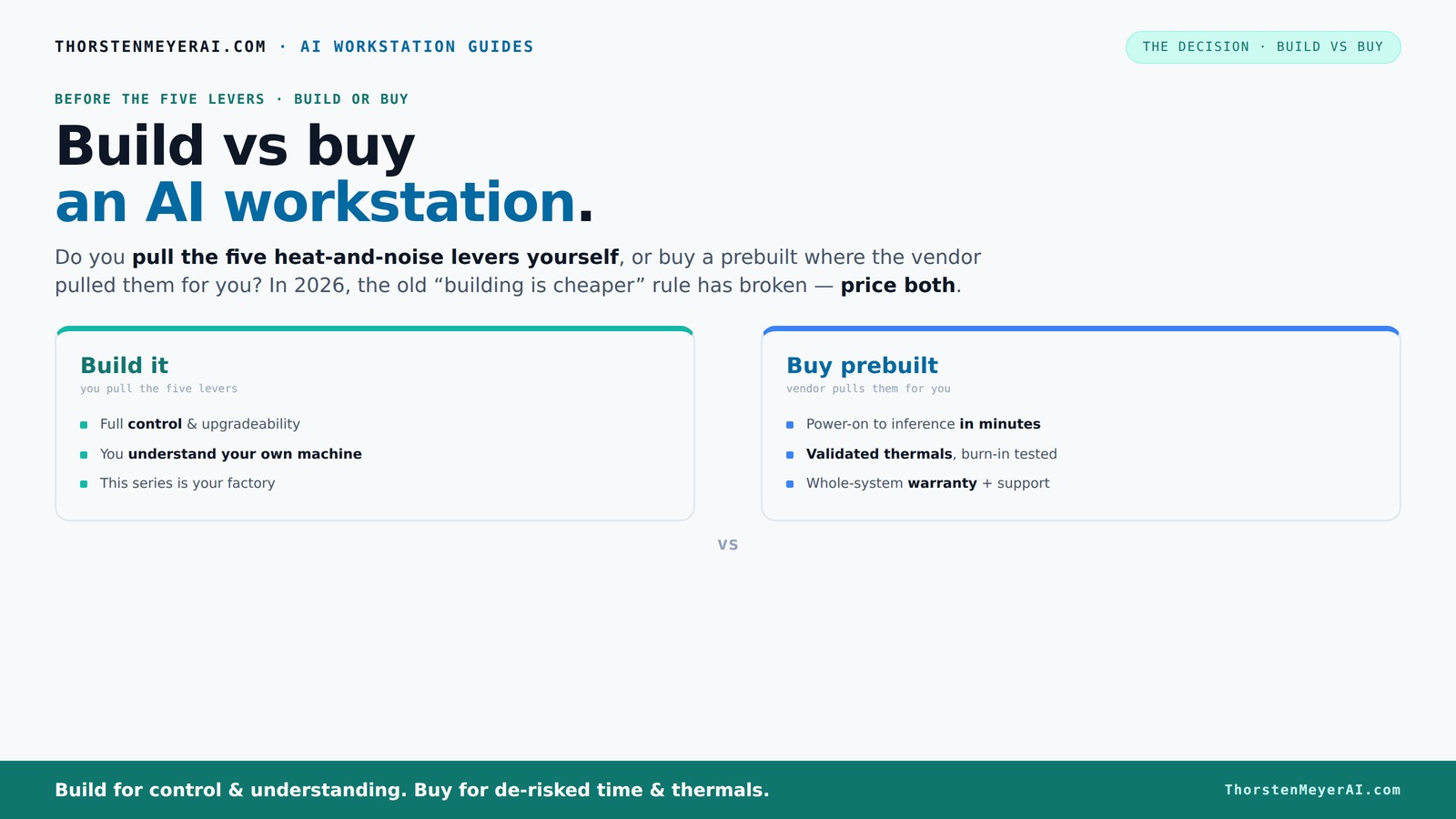
Build vs buy
an AI workstation.
The real question behind this whole series: do you pull the five heat-and-noise levers yourself, or buy a prebuilt where the vendor pulled them for you? And in 2026, the old “building is cheaper” rule has broken. Match your situation in Part 3.
Key Takeaways
- In 2026, component shortages have narrowed the cost gap between building and buying AI workstations, making price less decisive.
- Prebuilt systems offer validated thermals, support, and plug-and-play convenience—ideal for professionals and urgent projects.
- Building your own system provides maximum customization, learning, and potential savings—if you have the time and expertise.
- Thermal management is a key factor: prebuilt vendors tune and validate cooling, while DIY builders must do it themselves, which can impact performance and hardware longevity.
- Supply chain issues mean prebuilt systems often have better availability, reducing wait times and uncertainty, especially critical for time-sensitive deployments.
As an affiliate, we earn on qualifying purchases.
Why 2026 Changes Everything for Your AI Workstation Choice
Building an AI workstation used to be the clear winner for cost and control. Now, with GPU prices soaring and component shortages hitting supply chains, prebuilt systems often match or beat DIY costs. For example, a custom build with top-tier GPU, 128GB RAM, and SSDs could easily hit $8,000—almost the same as a preconfigured, validated system from Lambda or Puget.
Vendors buy components in bulk, negotiate better prices, and test extensively—saving you time and headaches. While DIY gives you customization, it now often costs more and takes longer to assemble, troubleshoot, and validate.
As an affiliate, we earn on qualifying purchases.
The Real Cost of a DIY AI Workstation in 2026
Building your own rig isn’t just about parts. It’s about time, expertise, and risk. You’ll need a high-end GPU like the NVIDIA RTX 4090 or A100—these alone can be $1,500 to $4,000 each. Add in DDR5 RAM (64GB+), a compatible motherboard, power supplies, cooling, and an SSD setup—your bill quickly climbs past $4,000.
Plus, factor in the hours spent sourcing, assembling, BIOS tuning, troubleshooting driver conflicts, and stress-testing. According to recent data, a DIY setup with premium components can take 20-40 hours to perfect, especially if you’re new to hardware.
For example, a hobbyist who spends weekends building a rig might spend $5,000 total, but the same system bought prebuilt from Lambda or Puget could cost around $4,500, with a warranty and support included. This tradeoff highlights that the time investment and the potential for errors or delays can offset the cost savings, especially when considering opportunity costs or the value of support.
As an affiliate, we earn on qualifying purchases.
Prebuilt AI Workstations: Faster, Safer, and Often Cheaper
Prebuilt AI systems from vendors like BIZON or Lambda come fully assembled, tested, and tuned. They include warranties, support, and often water cooling for quieter, cooler operation. For example, Lambda’s high-end systems are validated to run at 30% lower noise levels and keep GPUs from throttling during long training sessions.
Buying a preconfigured system means power on, install your software stack, and start training. No worries about compatibility, BIOS setup, or debugging. Plus, vendors often guarantee supply, which is a huge advantage in today’s component crunch. This consistency reduces the risk of delays or hardware incompatibility issues that can derail projects or extend timelines, especially critical in professional environments where downtime translates directly into lost productivity.
It’s not just convenience—sometimes it’s cost-effective. A prebuilt with dual GPUs, 128GB RAM, and enterprise-grade cooling can be priced comparable to or even below a DIY build, especially when considering time, troubleshooting, and support costs. This means that, depending on your needs, prebuilt systems can be the smarter investment, offering peace of mind and operational reliability that DIY setups may lack in the complex supply and technical landscape of 2026.
As an affiliate, we earn on qualifying purchases.
The Heat and Noise Battle: Who Pulls the Levers?
Running AI workloads at full throttle heats up components fast. Achieving a cool, quiet machine means pulling five levers: undervolting the GPU, matching the right cooler, optimizing airflow, tuning fans, and placing the system in a quiet, cool space. For tips on creating a wellness space at home, see home saunas and wellness spaces.
Buy a prebuilt → the vendor pulls these levers for you. They validate thermals, tune fan curves, and often include water cooling—saving you hours of tweaking. This ensures that your system maintains optimal performance without overheating or excessive noise, which can be critical in shared or office environments where noise levels impact productivity.
Build it yourself → you’re in charge. You choose a quiet GPU, an efficient cooler, and set up airflow. It’s rewarding but requires patience and expertise. For example, a DIY build with a quiet GPU and custom fan curves can run 10-15 dB quieter, but only if tuned properly. The tradeoff is that improper tuning can lead to thermal throttling or noisy operation, which impacts performance and user experience. Thus, thermal management isn’t just about hardware selection; it’s a nuanced process that can determine the real-world performance and longevity of your workstation.
When to Pick a Prebuilt System
If speed, reliability, and support matter most, a prebuilt wins. Imagine a research team needing to start training models tomorrow—waiting weeks for parts or troubleshooting isn’t an option. A preconfigured system arrives ready, tested, and with support if anything goes wrong. This is especially true when considering professional-grade systems for critical projects.
High-end, multi-GPU setups are especially tricky to tune yourself. Vendors like Lambda or Puget have validated cooling and power delivery to prevent throttling and failures—saving you headaches and downtime. This validation process ensures your hardware operates within safe thermal and power limits, which is crucial for maintaining performance during extended training sessions or large-scale deployments.
Plus, in today’s supply climate, prebuilt systems often have priority and guaranteed availability, making them a safer bet if component shortages threaten your timeline. This availability can be the difference between meeting a project deadline and facing costly delays, especially when supply chains are unpredictable.
When to Build Your Own: For Hobbyists and Tinkerers
Building your own AI workstation shines if you love the process, want maximum control, or are on a tight budget. You can select the exact components—like a specific quiet GPU or a custom cooling loop—and learn a ton along the way. This approach offers the flexibility to upgrade or modify your system over time, which can be more challenging with prebuilt models that often have proprietary parts or limited upgrade options.
For example, a hobbyist might spend weekends assembling and tuning a machine, saving money and gaining skills. Plus, you can upgrade components over time—adding more RAM or swapping in a new GPU down the line—adapting your system to evolving needs. This hands-on process can be deeply satisfying and educational, fostering a better understanding of hardware performance and limitations.
Just remember: every hour you spend building and troubleshooting adds to the total cost—both in time and potential frustration. It’s a rewarding challenge but not for everyone. It’s essential to weigh whether the learning experience and customization are worth the additional effort and whether you have the time and patience to manage unexpected issues or hardware incompatibilities.
The Final Decision: What’s Best for You?
Choosing between build and buy hinges on your priorities. Want immediate, reliable performance with professional support? Prebuilt is the way to go. Prefer customizing every detail and learning as you go? Building your own is satisfying—and often cheaper, if you have the skills.
In 2026, the market has shifted: component costs and supply issues make the decision less clear-cut. The best choice depends on your budget, skills, and how much risk you’re willing to accept. For instance, the increased difficulty in sourcing specific high-end components can delay projects or inflate costs, making prebuilt options more appealing for time-critical applications.
Remember, both paths can get you a powerful AI workstation—just choose the one that fits your needs and style. The key is understanding your own priorities: do you value speed and support, or customization and learning? That understanding will guide your decision in this evolving landscape.
Frequently Asked Questions
Is building a GPU workstation in 2026 still cheaper than buying?
Not necessarily. Due to GPU shortages and rising component prices, prebuilt systems often match or beat DIY costs today. Plus, prebuilt offers support and validation that can save you time and money in the long run.How much technical skill do I need to build my own AI workstation?
You should be comfortable with hardware compatibility, BIOS setup, and troubleshooting driver issues. Following detailed guides, like those on thorstenmeyerai.com, can help even intermediate builders succeed.Can I upgrade a prebuilt AI workstation later?
Many prebuilt systems allow upgrades, especially for RAM and storage. However, some have proprietary parts or limited upgrade paths, so check the vendor’s specs before purchase.What’s more important—cost or support?
If you need quick deployment, reliable performance, and support, prebuilt wins. If you enjoy tinkering and want maximum customization, building your own is more satisfying and potentially cheaper, if you’re willing to invest the time.How do supply chain issues impact my building or buying decision?
GPU shortages and component delays make prebuilt systems with guaranteed supply a safer choice, especially if you need your workstation quickly. Building your own may mean long waits for parts.Conclusion
In today’s market, your choice isn’t just about saving money or time—it’s about what you value most: support, speed, or control. Both options can power your AI ambitions, but pick the one that aligns with your skills, budget, and goals.
Remember, the best workstation is the one ready when you are—whether built by your hands or by a trusted vendor. In 2026, smart decisions mean more than just price; they mean peace of mind and getting to work faster.
Halloween Picks
halloween
As an affiliate, we earn on qualifying purchases.